Uninstall the Sage 50 Accounts Connector
If a user wants to stop synchronizing their data with Sage 50, they can uninstall the Sage 50 Accounts Connector from their computer.
Uninstall the Sage 50 Accounts Connector from the System Tray icon
To uninstall the Sage 50 Accounts Connector, the user can right-click the connector's system tray icon, then select Uninstall Sage 50 Accounts Connector.
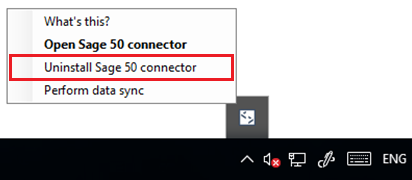
If you've configured your companyCompany In Codat, a company represents your customer's business entity. Companies can have multiple connections to different data sources.'s icon in the Codat portal, you'll see that icon in the system tray and not the Codat icon.
Next, the user is asked to confirm that they want to uninstall the Sage 50 Accounts Connector. If they click Uninstall, the connector will be uninstalled and the Codat companyCompany In Codat, a company represents your customer's business entity. Companies can have multiple connections to different data sources. they were syncing to will become Deauthorized.

Uninstallation if the connector is closed before the first linkLink The authorization flow that allows end users to connect their accounting, banking, or commerce platforms to your application via Codat.
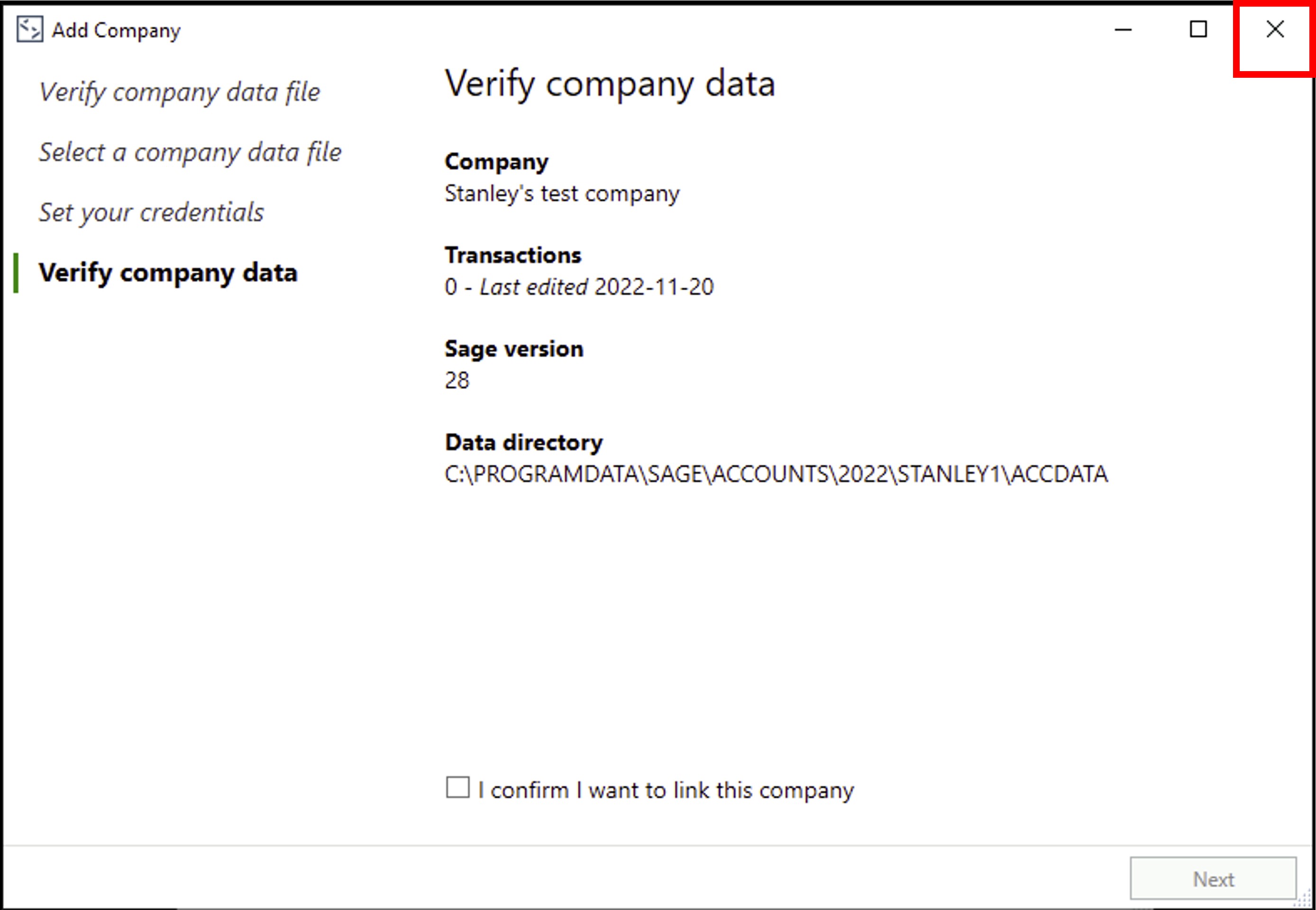
The Sage 50 Accounts Connector will be uninstalled if the user closes the connector before they've completed all the linkLink The authorization flow that allows end users to connect their accounting, banking, or commerce platforms to your application via Codat. flow steps (see Set up the Sage 50 Accounts Connector.
When the close icon is clicked, the connector is uninstalled, and the Codat companyCompany In Codat, a company represents your customer's business entity. Companies can have multiple connections to different data sources. that was going to be linked will become PendingAuth.